Help & Support
Find answers, fix common issues, or reach out — everything for Showesome Screen Recorder in one place.
Start with Quick Start below, search the FAQ, or email us for private help.
Last updated: June 20, 2026
Quick Start Guide
Get up and running in minutes
Ask a question
Public how-to on guides · private help by email
How-to & tips
Post on a guide's Discussion (Google sign-in) so other readers can learn from the answer.
All guides
Step-by-step articles, interactive tutorials, and community discussion on every guide.
- Guides
- 41
- Interactive
- 3
- Discussion
- Helpful
Bugs & account help
Email us for something private or broken. We typically reply within 24 hours on business days.
Frequently Asked Questions
Search or expand a question
Popular guides
Step-by-step articles with discussion on each post
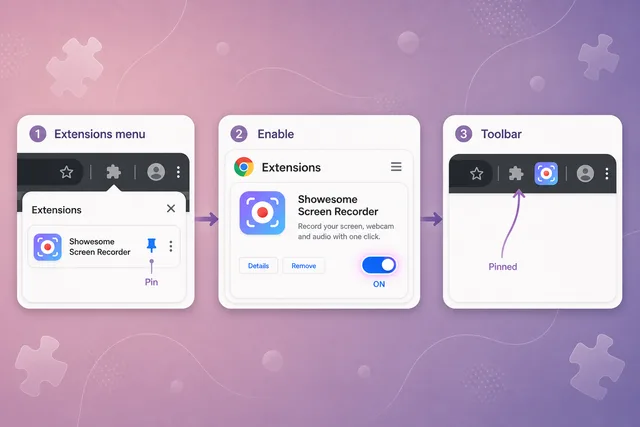
Can't find Showesome? Enable the extension and pin it in Chrome
Extensions menu → Manage Extensions → enable Showesome → pin from the puzzle icon.

Record your screen with audio: microphone, mute, and tab sound
Pick your mic in the popup, toggle mute when you need to, and enable tab audio in Chrome’s picker for screen recordings with sound.
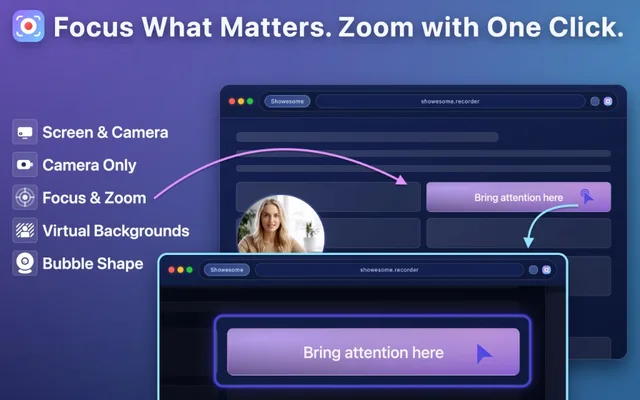
Five Focus Mode tips for better tutorials
Learn how spotlight and zoom help viewers stay focused during walkthroughs.
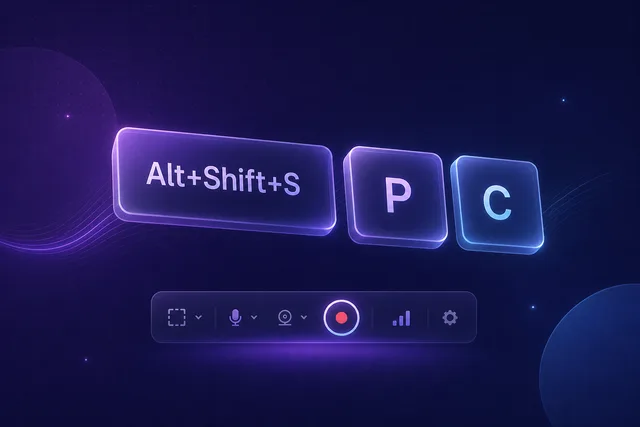
Keyboard shortcuts: record without touching the controls
Start, pause, and stop from any tab — or hide the control bar and record with shortcuts only.
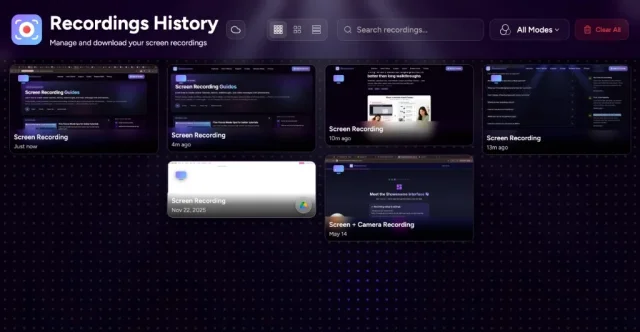
Your recordings library: stats, search, and three views
Statistics in the popup, full library in a tab — Compact, Large, or List view plus search and mode filters.
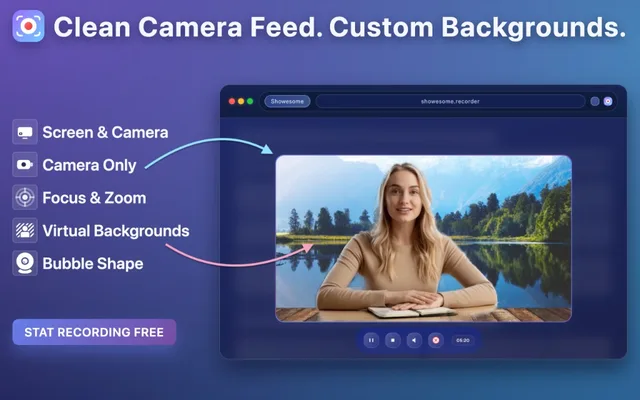
Virtual backgrounds: blur, gallery backgrounds, and live preview
Learn when to use blur or virtual backgrounds for cleaner, more professional recordings.
Still need help?
Can't find what you're looking for? Check the guides first, then email us.
support@showesome.com — we usually reply within 24 hours.