Free Chrome Screen Recorder
Professional Screen Recording
Made Simple
Record your screen, camera, or both in crystal-clear 4K.
Perfect for tutorials, demos, bug reports, and presentations.
Powerful Features
Everything you need for professional screen recording
Up to 4K
Capture at your screen’s native resolution—up to 4K on supported displays. Adjustable quality presets from balanced to ultra-sharp.
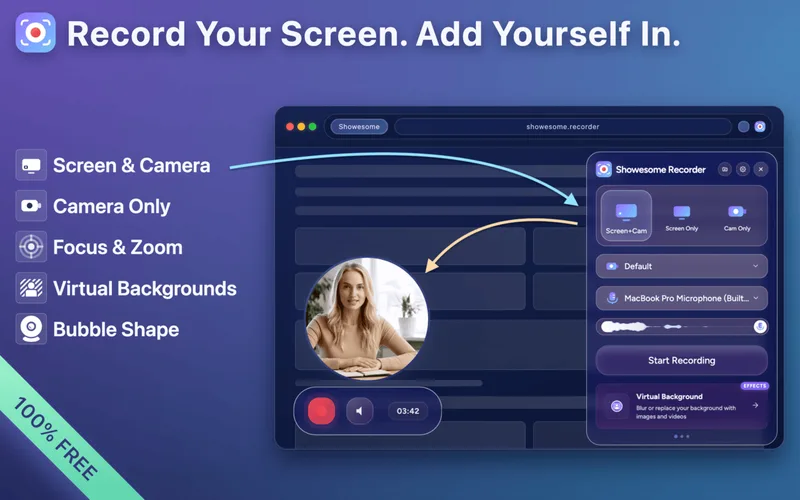
Multiple Recording Modes
Screen only, camera only, or both combined. Perfect flexibility for any recording scenario.
Focus Mode
Click-to-zoom for tutorials: pick an element, text selection, or area—Showesome spotlights it and zooms automatically while you record. Smooth zoom animations and a subtle dim outside the focus replace many post-production arrows. Perfect for demos and walkthroughs where viewers need to see exactly what you mean.
Virtual Backgrounds
Transform your recordings with blur effects or choose from 8+ professional backgrounds including images and videos. Real-time preview in the camera bubble lets you see exactly how you'll look before recording. Perfect for maintaining privacy, creating professional presentations, or adding creative flair to your videos. Change backgrounds during preview for camera-only recordings and apply the perfect look to match your content style.
High-Quality Audio
Rich stereo sound with built-in noise suppression—your voice stays clear, natural, and easy to hear.
Keyboard Shortcuts
Boost your productivity with powerful keyboard shortcuts. Start or stop recording instantly with Alt+Shift+S, pause and resume with Alt+Shift+P, or cancel anytime with Alt+Shift+C. Work faster without ever touching your mouse.
MP4 Conversion
Convert recordings to MP4 with one click—right on your device. Private, fast, and ready to share anywhere.
Smart Recordings Library
Organize all your recordings with search, filter by mode, and multiple view options.
Recording Statistics
Get a quick overview of your recording activity — total count, weekly activity, time recorded, mode breakdown, and storage usage at a glance.
Built-in Preview Player
Preview recordings with full playback controls. For camera-only recordings, change virtual backgrounds in real-time.
How It Works
Get started in seconds
Install Extension
Add Showesome to your Chrome browser in one click
How to record in Chrome →Watch setup demo →Choose Mode
Select screen, camera, or both for your recording
Recording modes →Watch recording modes demo →Your Privacy Matters
All recording happens locally on your device. We never upload, store, or access your recordings. Your data stays 100% private and under your control.
Read Our Privacy PolicyReady to Get Started?
Join 7,000+ users who trust Showesome for their screen recording needs